Juspay’s Merchant Success team answers merchants out of Zoho Desk. A mail arrives, Zoho files it as a ticket, and then everything you need to actually answer it is in some other tab. Xyne Desk was our go at doing Zoho’s job properly.
- Role
- Product design
- Team
- Merchant Success, Juspay
- Replacing
- Zoho Desk
- Platform
- macOS app, drawn web-first
- Came from
- The XyneSpace research
- Scope
- Inbox, ticket, states, window chrome
It started with the workspace research. Merchant Success came out of that as the odd one: their tickets cross four teams and five systems, so they run into every seam in the company’s tooling. I kept the brief narrow on purpose. Leave the inbox the way their hands already know it, and put the merchant next to the ticket instead of making people go looking.
The ticket is the easy half
Merchant mail lands in Zoho and becomes a ticket. Then the real work happens elsewhere: logs, dashboards, the merchant’s history, Jira if engineering has to touch it. The research counted four to six tabs for a single support ticket.
The ticket knows nothing
It holds the mail and a status. Who the merchant is, what has been failing for them, whether this came up last week: all of that is somewhere else.
Old answers stay buried
If someone had solved it before, finding that out meant remembering it.
IDs travel by copy-paste
Zoho and Jira don’t talk, so ticket IDs get pasted across by hand and the statuses drift apart.
Volume hides priority
One stack sees 200 to 300 mails a day, sorted by people marking things unread.
The merchant sits next to the thread
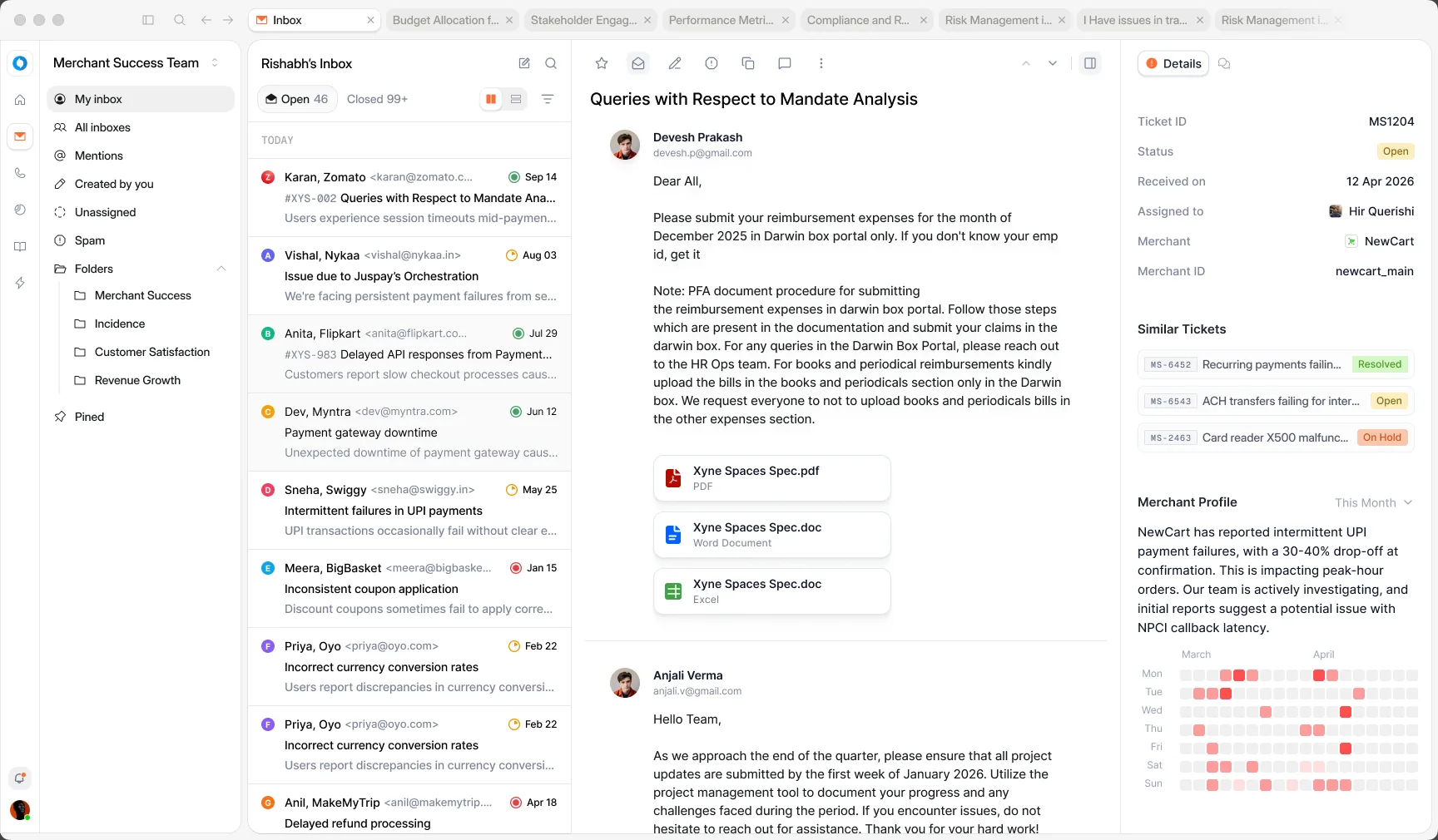
Most of this screen is ordinary on purpose: a thread, attachments, a reply. Support people have years of inbox habits and there is nothing to gain by breaking them. Everything new sits in the one panel on the right.
The basics, up top. Ticket ID, status, owner, merchant and merchant ID. Five things you would otherwise go and look up.
Similar tickets, with their status. If it was solved before, the answer is a click away. If those are still open, this isn’t a one-off.
A month of failures at a glance. The profile sums up what is going wrong for this merchant and a day-by-day grid shows when. One look tells you whether the mail is a blip or a pattern.
The list does as little as it can
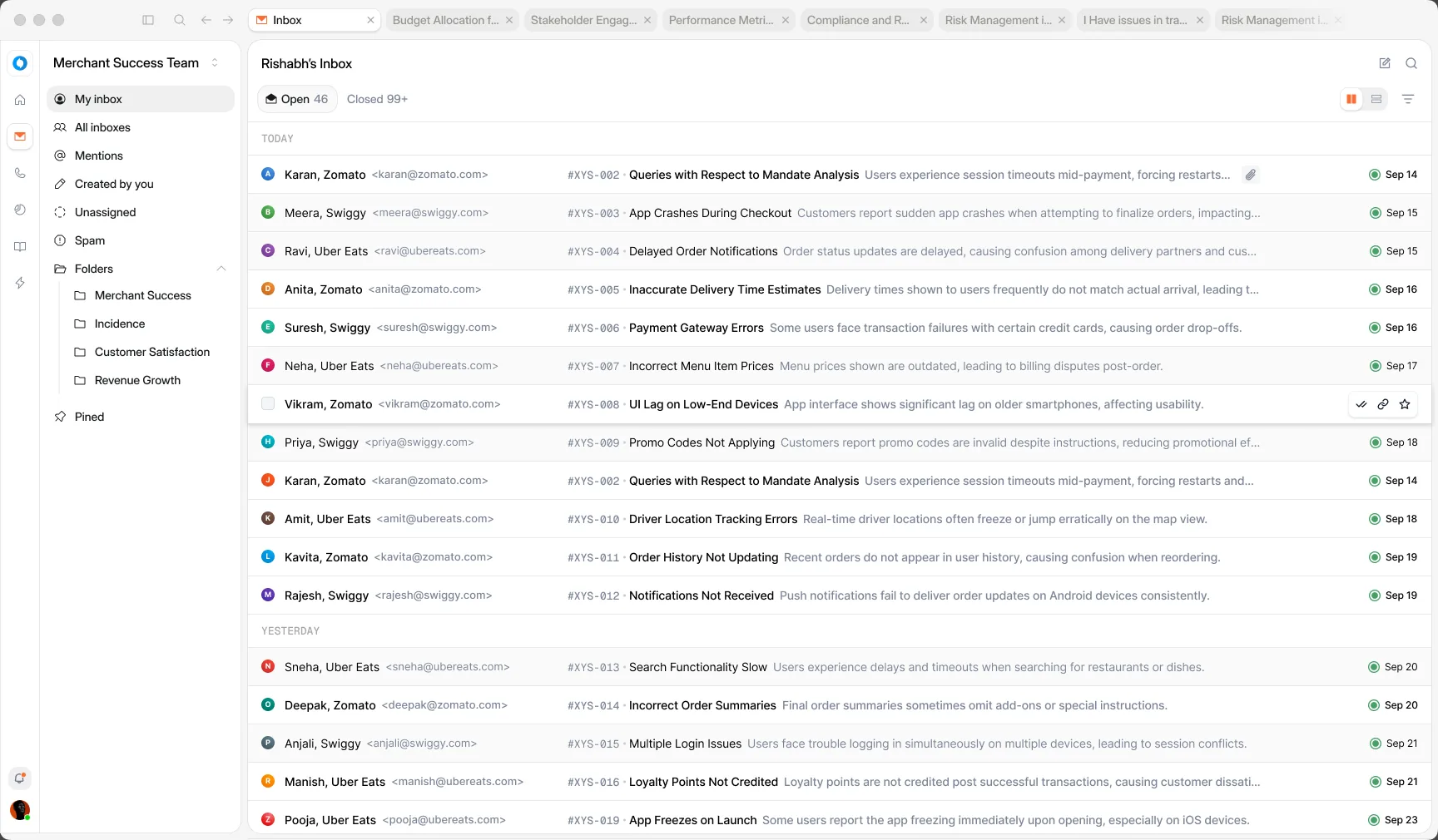
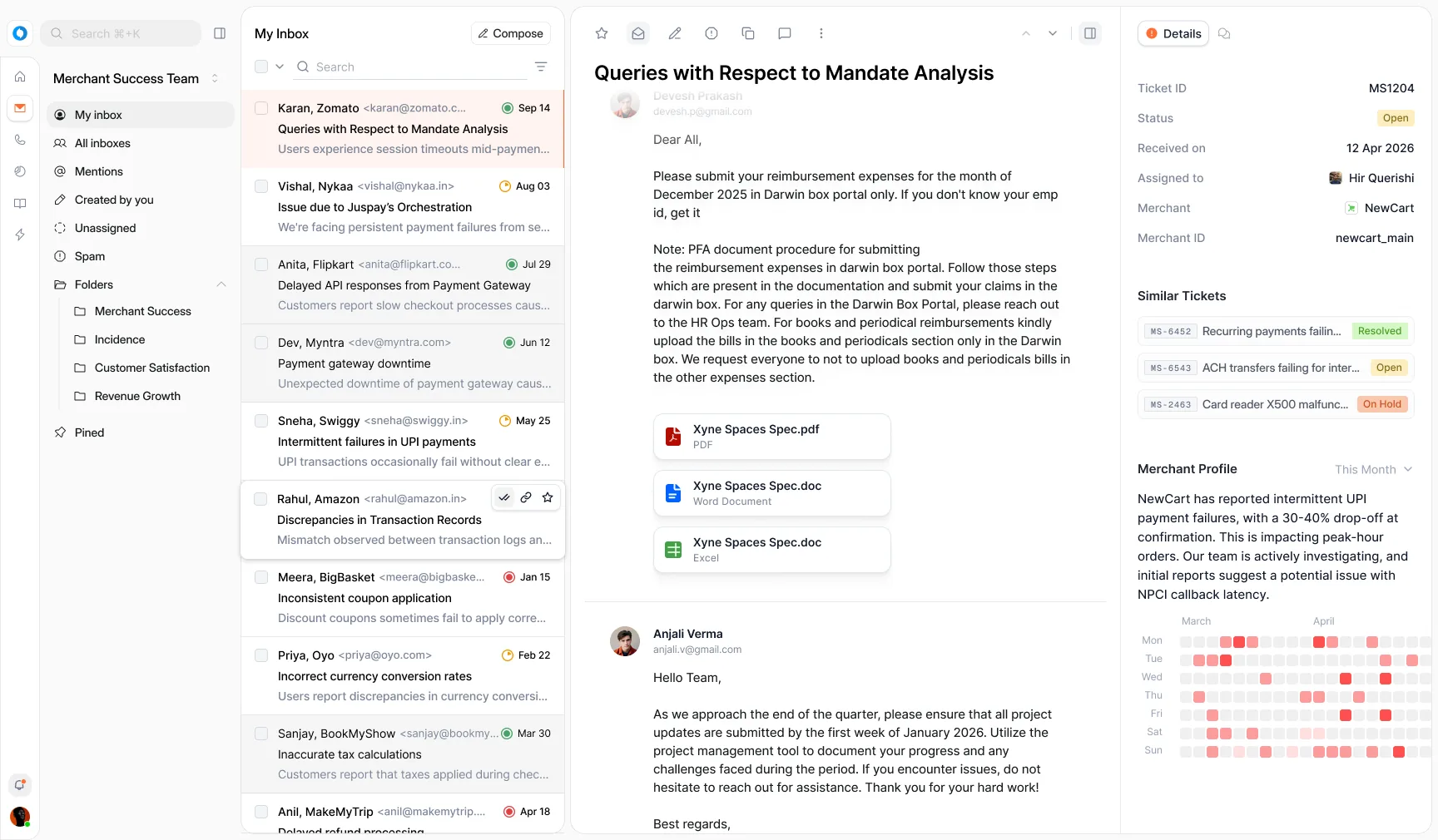
Support lives in this list all day, so I kept it quiet. Unread rows are white, read ones grey, and a small coloured ring next to the date says where a ticket stands. Everything else waits for the cursor.
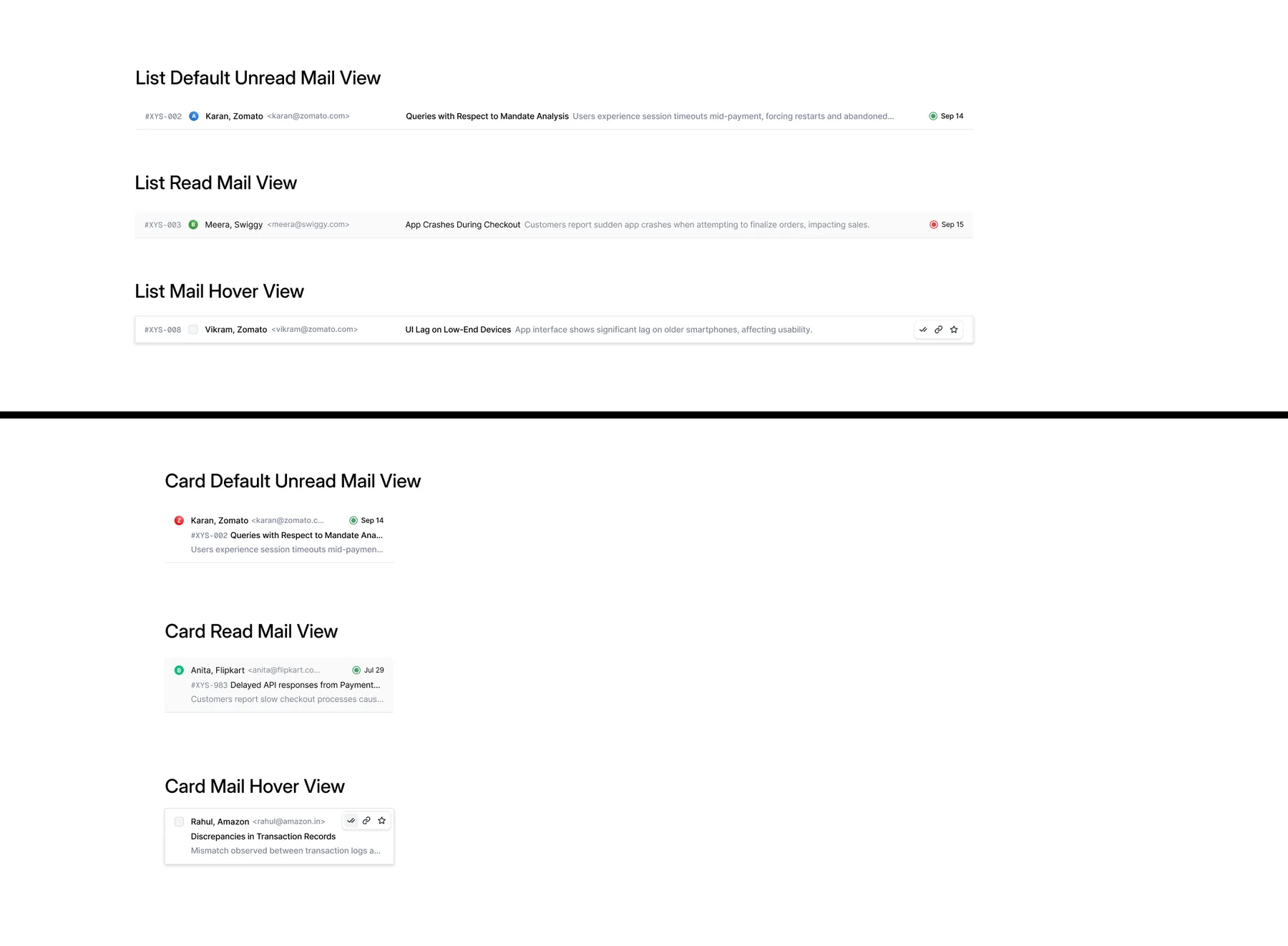
On hover the avatar becomes a checkbox and the date becomes three actions: done, copy link, star. A ticket that only needs closing never has to be opened.
Nothing open is still a screen
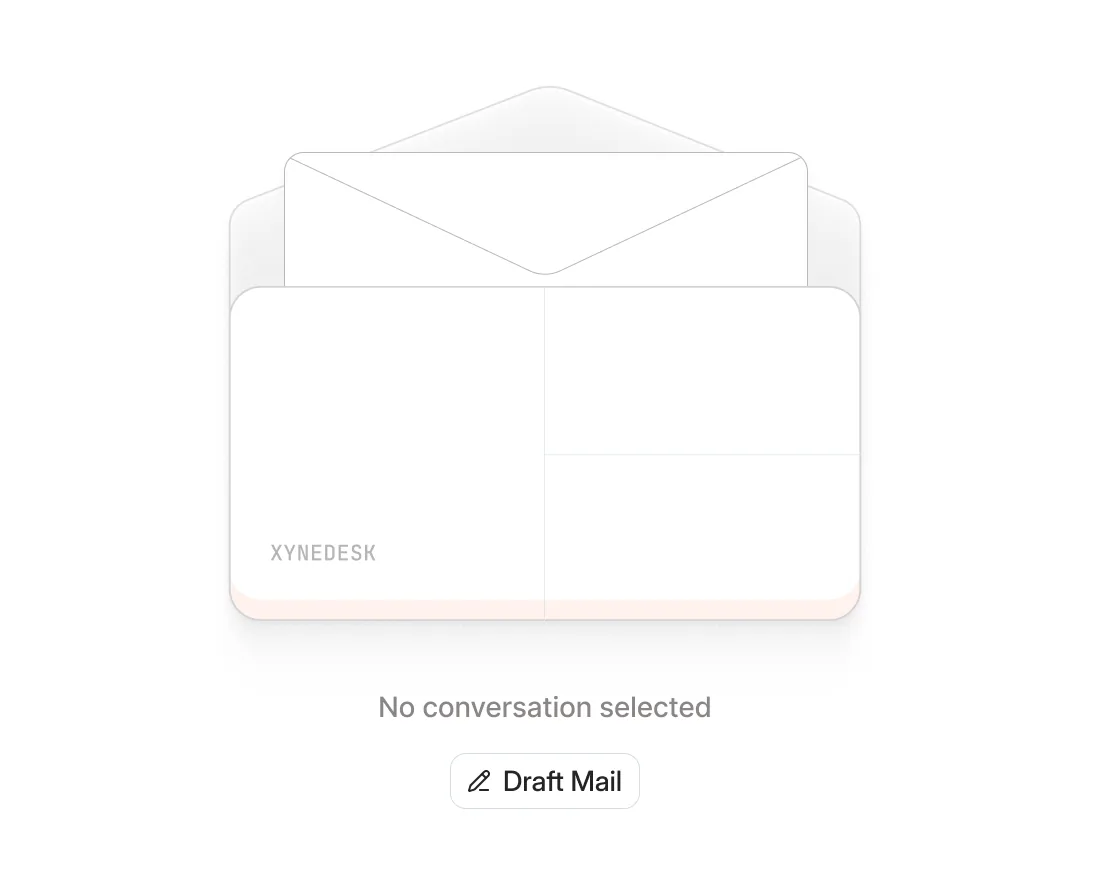
With no ticket selected the right side could have been left blank. It got an envelope stamped XYNEDESK, one line and one button instead. That button said New Mail for a while before it became Draft Mail.
It started loud
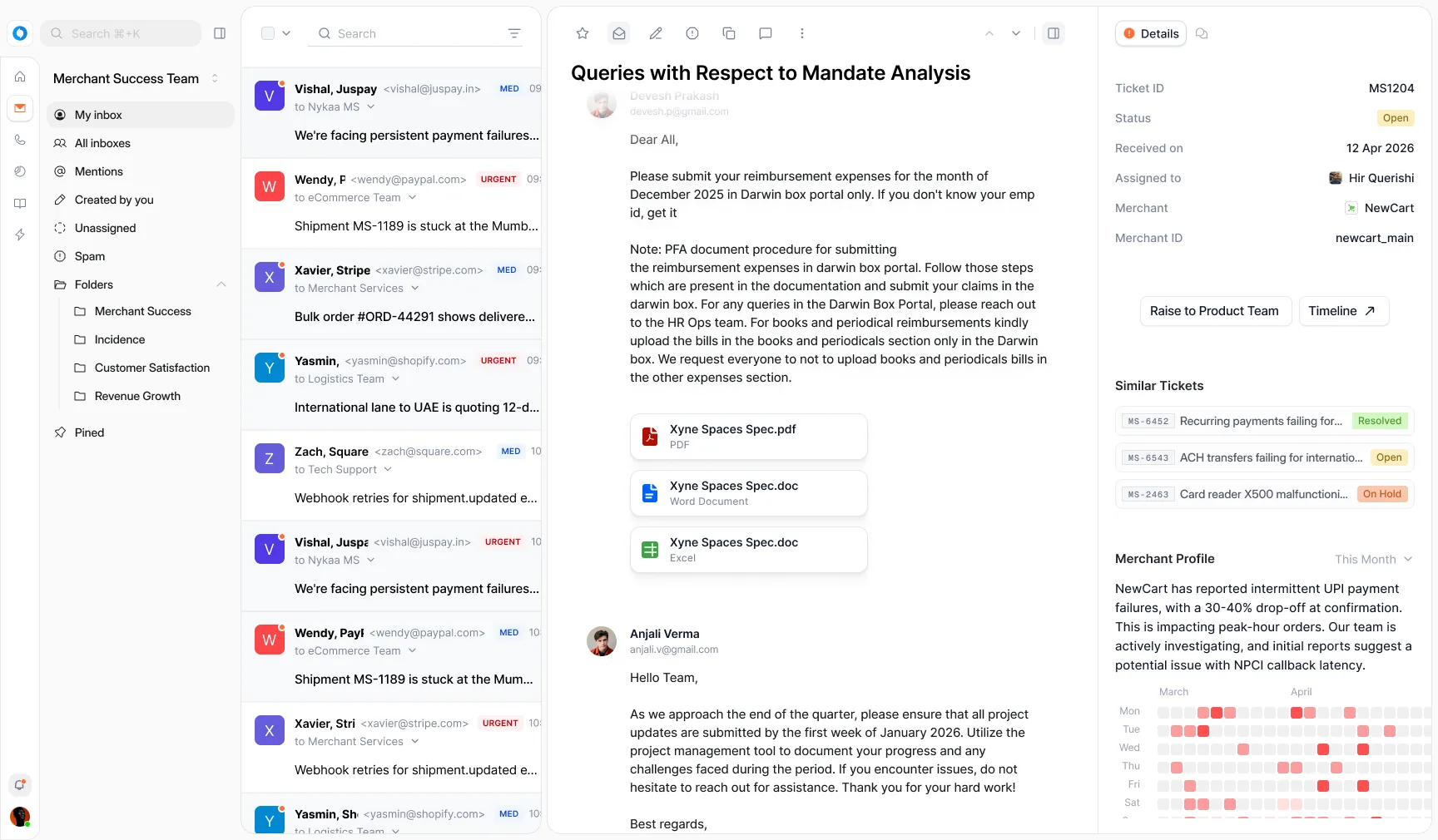
The first pass was a web app and it looked like one. Coloured square avatars, unread dots, MED and URGENT pills, a recipient line on every row, a Raise to Product Team button sitting in the details panel. Each of those made sense on its own. Together they had every row shouting.
So I took a layer off at a time. The priority pills became one status ring. The square avatars went. Times turned into dates, the header picked up Compose, and the hover actions arrived. The details panel kept its facts and lost its buttons.
Then it had to be a Mac app
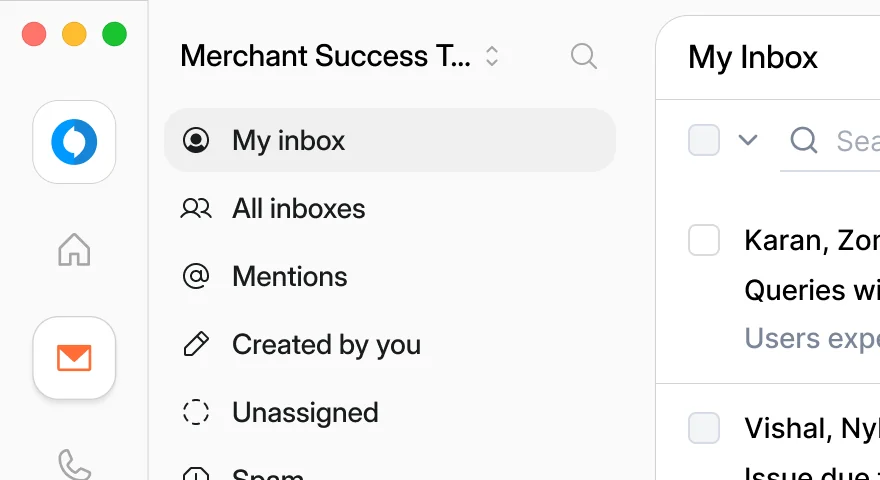
The plan changed partway through: Xyne Desk would ship as a desktop app. On a Mac that means traffic lights, the three window buttons in the top-left corner. Which is exactly where the web layout had been keeping its logo and its search.
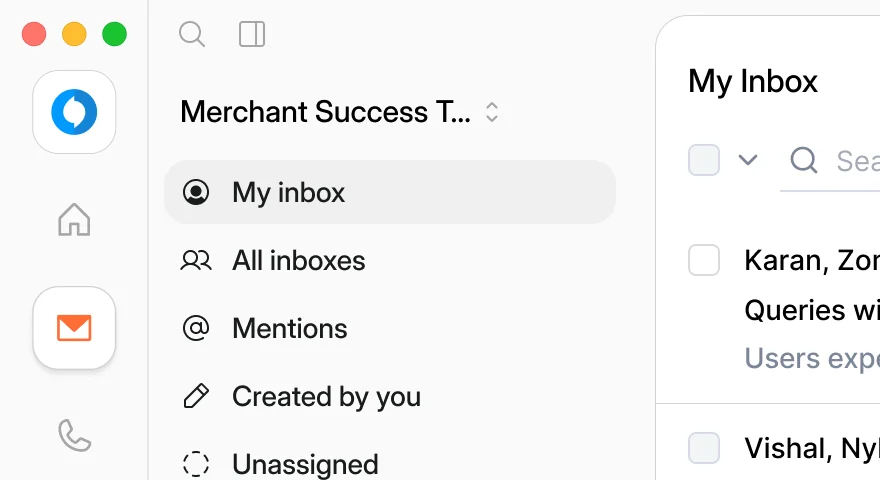
In the rail
On a strip
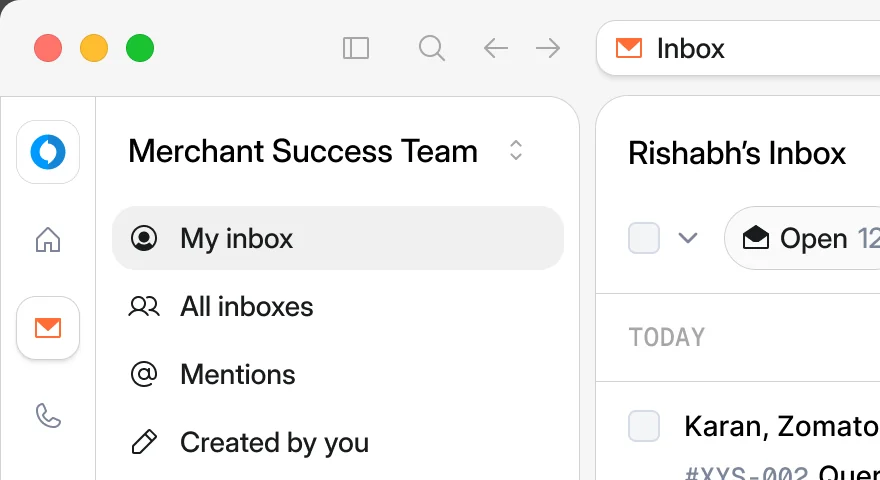
In a title bar
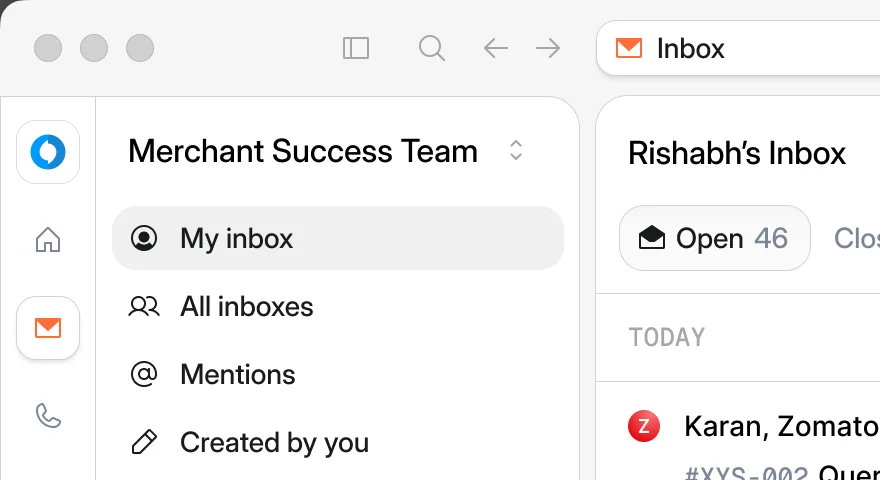
Out of focus
In the rail they barely fit. The rail is only as wide as its icons, so the lights crowd the logo and end up sharing a line with the team switcher.
On a strip they fit, but the window splits. The sidebar drops below the strip while the list still starts at the very top. Two top edges, and neither of them looks deliberate.
A full title bar earned its height. Lights, sidebar toggle, search and history on the left, and the rest of the bar became tabs. A tab is a ticket, so five merchants at once is five tabs rather than five windows. Tabs hold a fixed width and fade out at the edge instead of squashing.
Then I checked it without the colour. macOS greys the lights on any window that isn’t in front, so the bar had to hold up in grey too.
Small things I’m glad are in there
Avatars turn into checkboxes. Selecting isn’t a mode you switch on. Hover a row and the checkbox is already waiting.
IDs set in mono. #XYS-002 sits before the subject in grey monospace, so it reads as a reference you can quote rather than part of the title.
Open 46, Closed 99+. The size of the day, before you scroll.
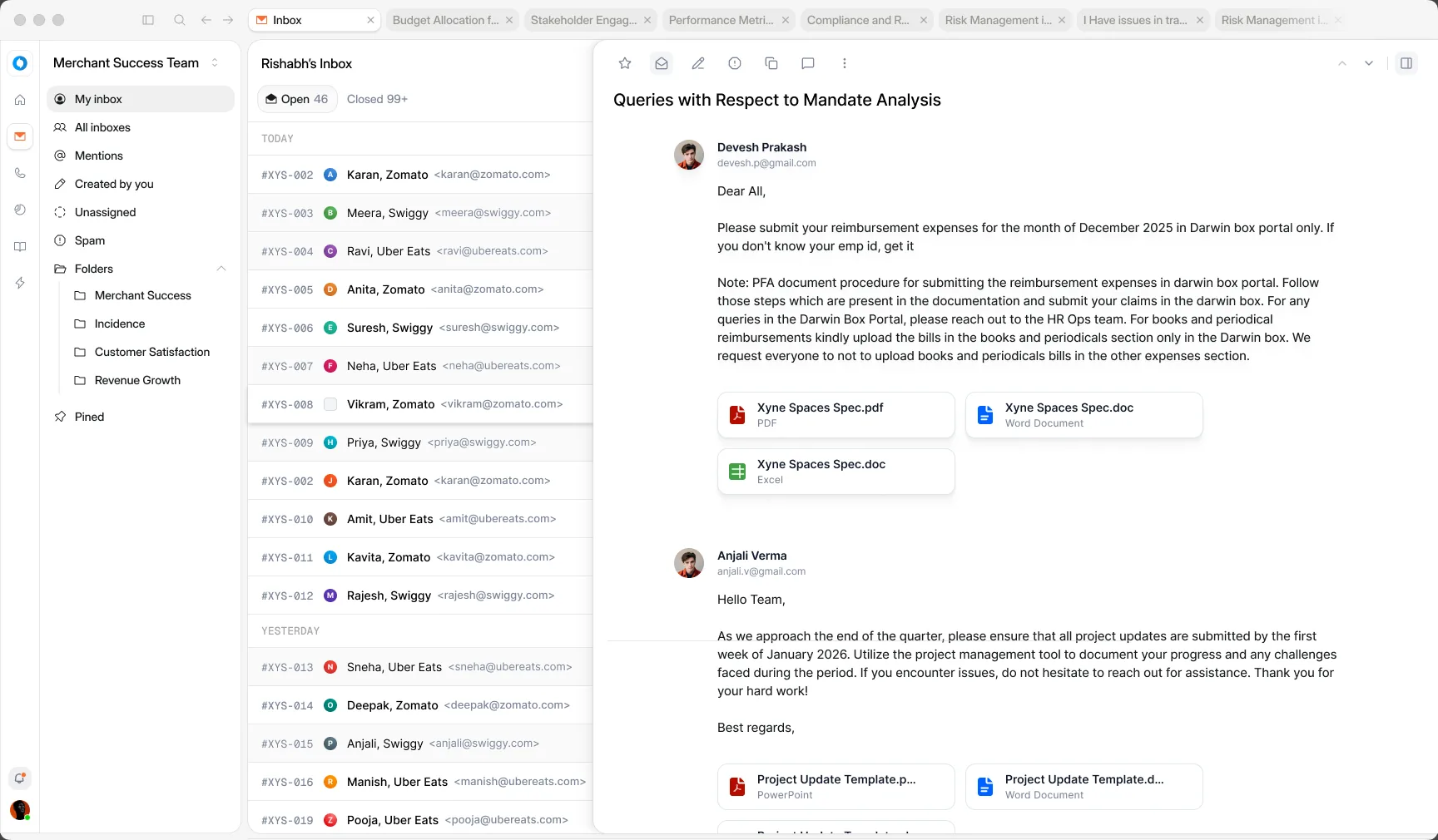
Two densities, one toggle. Cards to read beside an open ticket, rows to triage, switched from the inbox header.